Change Open Road magazine delivery method
Open Road is published in both print and digital formats. Many Members enjoy reading a hard copy, but we encourage you to switch to digital to save paper and reduce the emissions from printing and delivery. The digital edition has the same NRMA news, road trips and motoring reviews as the printed one, and you can read it on any device you like.
Benefits of digital format
Benefits of digital format
- You'll receive an email with a link to view the full magazine as soon as the lastest issue is published.
- Search functionality allows you to search across the lastest issue, you can also search across previous issues dating back to 2016.
- View the latest issue, and previous issues anytime, online here.
How to switch from post to email delivery
Step 1: Sign in to your online account at login.mynrma.com.au/signin - if you haven't signed in before, you'll have to register for an online account.
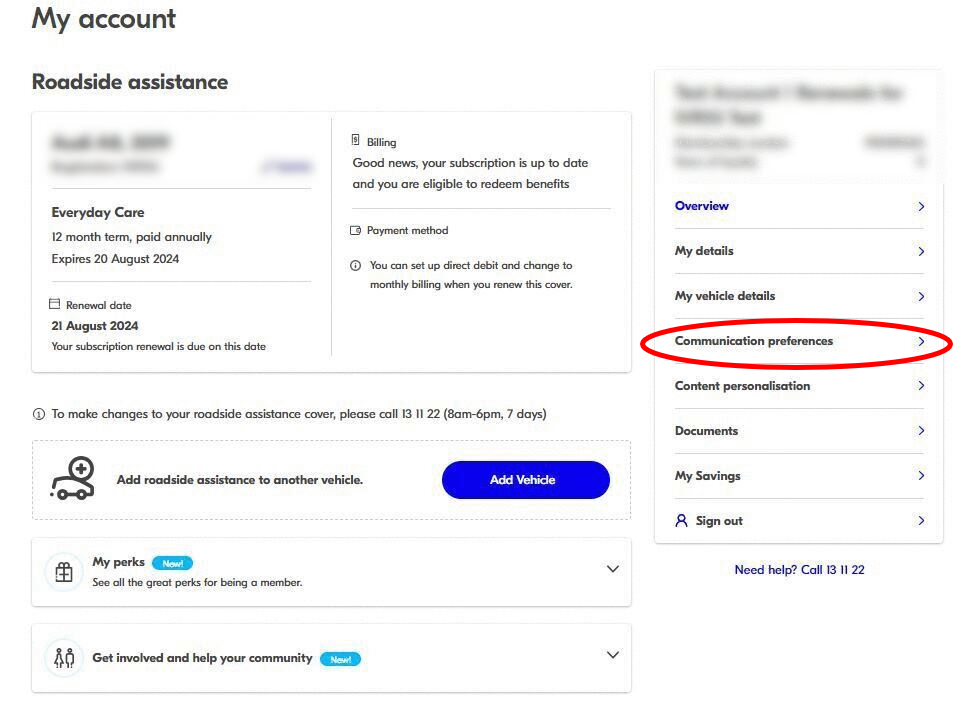
Step 2: Navigate to 'Communication preferences'
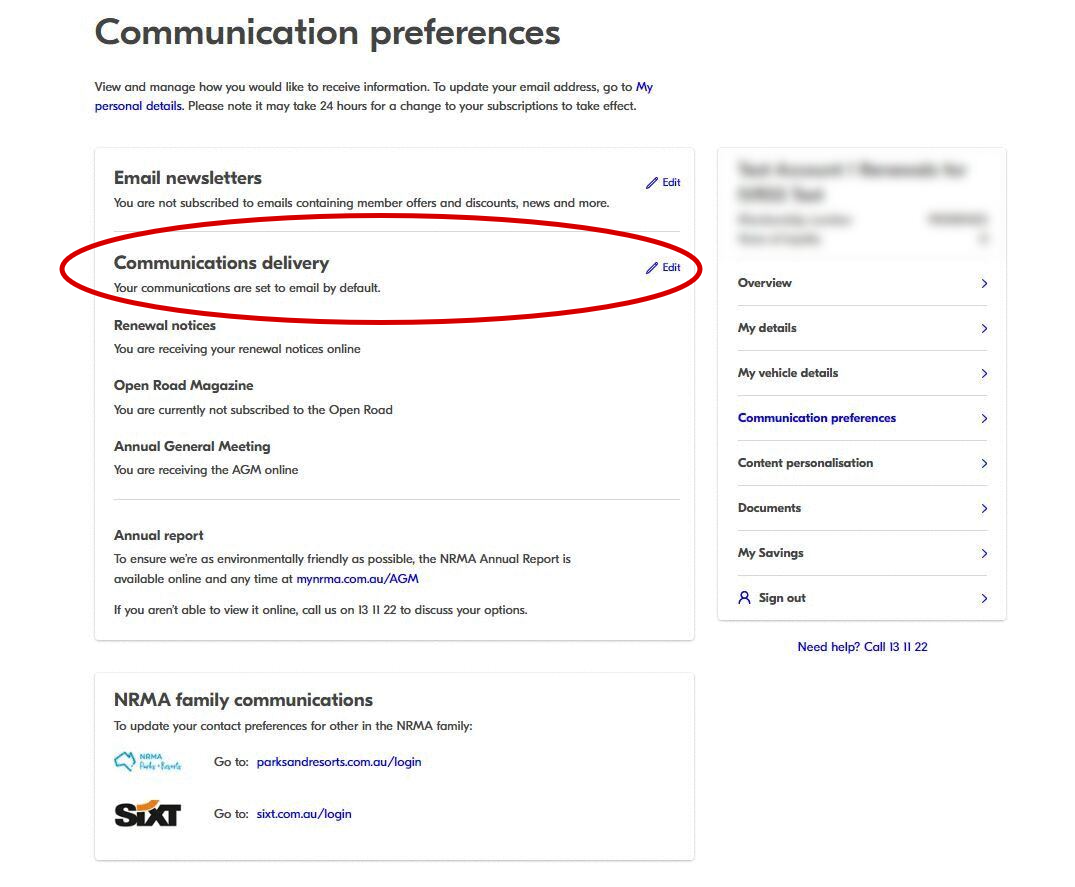
Step 3: Under the 'Communications delivery' heading click on 'edit'
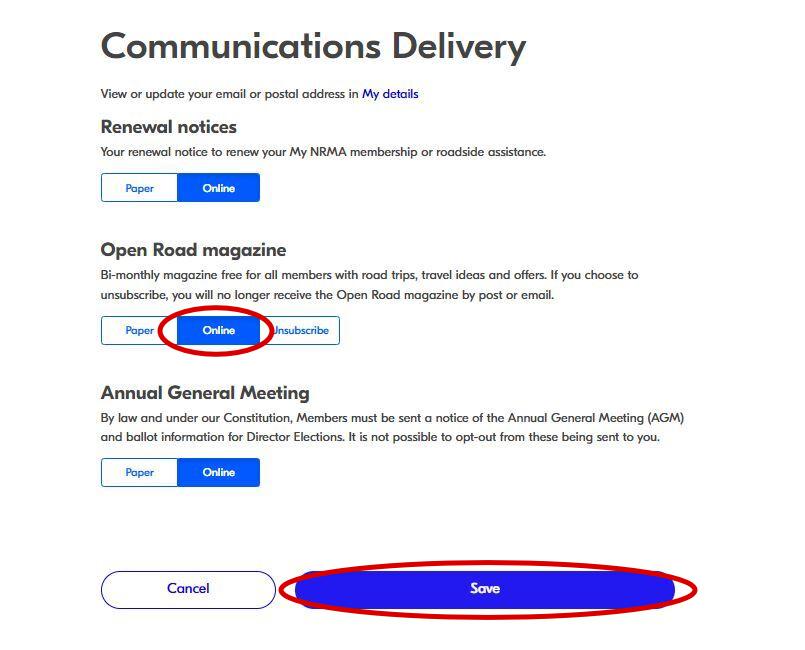
Step 4: On the 'Communications delivery' page, locate 'Open Road magazine' and switch it to 'Online'. Afterward, scroll down to the bottom of the page, and click the blue 'Save details' button.