How to use Apple CarPlay like a pro

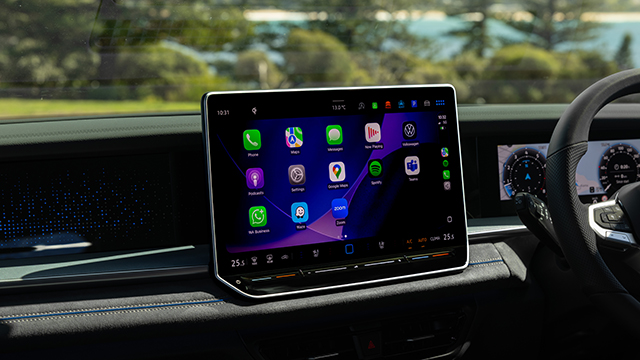
Apple Maps offered features and functionality superior to just about every inbuilt proprietary navigation software available and Apple CarPlay meant it could be used legally in any compatible car. Goodbye ugly mobile phone mounts!
But of course Apple CarPlay offers much more than a simple and convenient way to find your way around. Here are 15 other tips and tricks to help you get the most out of the Apple CarPlay experience.
1. Go hands-free with Siri
Safety should be the watchword when using any screen while driving and Apple’s voice assistant, Siri, can do a good many things that would otherwise require you to divert your attention from the road or pull over.Perhaps most usefully, you can ask Siri to plot in a sat-nav course – for example, “Hey Siri, navigate to Liverpool Westfields.” The suggested route will then appear on the infotainment screen and all you need to do is tap ‘Go’.
There’s almost no limit to what Siri can do for you hands-free – more on that below.
2. Rearrange your apps
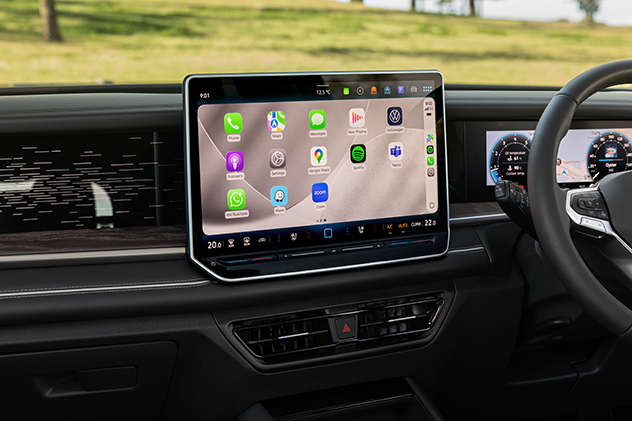
The last thing you want to be doing while driving is swiping through menus to find the app you’re looking for. There’s a simple solution to this – customise how your apps are arranged on the CarPlay screen so the most commonly-used ones are at your fingertips.
Once your vehicle is connected to CarPlay, tap ‘Customise’ and you’ll be able to add or delete apps and rearrange the order in which they appear. This will then be reflected on your car’s infotainment screen. Note that CarPlay does not support all apps and only those it does support will appear.
3. Customise your look
The central infotainment screen forms a big part of a modern car’s look and ambience. If you don’t like the default option, you can change Apple CarPlay’s ‘wallpaper’, aka the background. Just go into ‘Settings’, choose your preferred pattern, then hit ‘Set’.There are numerous other customisation options in Settings – for instance, you can choose to have album cover art appear (or not) while playing songs, and you can opt to have the dark screen (used to minimise glare at night) on all the time.
4. Let Apple Maps plan charging stops for your EV
One of the last remaining EV ownership headaches is public charging. Where is the next charger located? Will you have enough juice to get there? Will you find it occupied when you arrive?Some EVs can interface with Apple Maps, allowing the app to monitor the vehicle’s charge and suggest stops based on the route you’ve put in. Apple calls this ‘EV routing’. If the charging network supports it, Apple Maps can even display real-time charger availability.
Right now, this function is limited to a few more expensive models, such as the Porsche Taycan and Ford Mustang Mach-E, but it’s likely to cascade down into more affordable models in the future, especially if it proves more convenient than other apps.
5. Remove driving distractions
Endless messages from friends, family and work can create a real distraction when you’re driving. If you go into ‘Settings’ on Apple CarPlay you’ll find an option called ‘Driving Focus’, which when activated will limit or silence notifications and text messages.6. Get photorealistic navigation

Spend a substantial amount of time exploring remote regions and you’ll soon learn Google Maps tends to be more reliable than Apple Maps (which has a bad habit of taking you to weird off-road entrances or spots that are sort of near your destination but not really). The good news is Apple CarPlay can operate other apps for you, including Google Maps.
An interesting option Google Maps offers is switching from the default animated guidance to detailed top-down satellite imagery. Simply tap the map settings icon (it’s like a square and a chevron in a circle just below the field where you enter your desired address) and select ‘satellite’. The map will immediately switch to a photorealistic depiction of the roads and geography that surround you.
7. Share your ETA automatically
When you navigate to a regular destination in Apple Maps, you can share your live ETA with someone (it’s like a more active version of the ‘Find My’ app that’s native to all iPhones). You can even attach a contact to a pinned place – such as home or work – so the chosen contact automatically gets your ETA whenever you start navigating there.8. Report a crash or road hazard
While driving, you can say things like, “Hey Siri, report an accident”, “There’s something on the road here”, or “There’s a speed camera up ahead”. This incident or obstacle will then be reported to other Apple Maps users as they approach the site. You can even tell Siri when a previously reported hazard is gone.9. Listen to text messages and respond
Apple CarPlay can announce incoming messages, read them aloud, and let you dictate a reply. Siri will even read the message back to you before she sends it (there’s an ‘Automatically Send Messages’ option that skips this confirmation step if you’d prefer it).10. Use your calendar as part of the navigation experience
Upcoming appointments in your Apple calendar can be displayed on the CarPlay dashboard. Depending on the event, CarPlay can offer things such as directions to the related address or a way to call someone involved.11. Control your house from the driver’s seat
If you have your house wired up with Apple Home, you can operate various convenient controls from your car. For example, you can ask Siri to open the garage door on your approach, unlock the doors to your house, or turn on the air conditioning.12. Create a shortcut
This hack is a little complicated to set up initially, but it can save a great deal of daily faffing around once it’s set.First up, you want to open the Shortcuts app on your phone. Then tap the + icon to create a new shortcut and rename it as a word or phrase you’ll remember.
From there, you can add a series of actions that will be executed when you choose that shortcut (or ask Siri to activate it). That could mean starting your favourite podcast, sending a set text message to a loved one, and inputting a destination into Maps to find the quickest route home.
If your desired app doesn’t appear in the Shortcut list, it may have an option to add it in its preference settings.
13. Let passengers share DJ duties
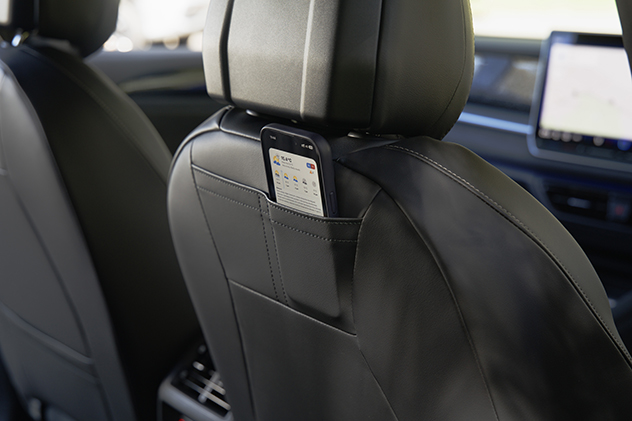
If you activate SharePlay, passengers can join a CarPlay music session and pick the tunes via their own iPhones. The connected driver needs an Apple Music subscription, but passengers only need a phone running iOS 17 or later to start choosing the beats.
SharePlay does takes a few moments to set up – all occupants need to go to Settings > Apps > Music, then turn on ‘Discoverable by Nearby Contacts’. When the driver puts on a song, everyone else should receive a prompt to connect. Once the driver approves them, everyone’s set for that music-infused road trip.
14. Get reminders while you’re driving
When you’re connected to Apple CarPlay Siri can create reminders based on time or location. For example, “Remind me to buy milk on the way get home.”15. The future is Apple CarPlay Ultra
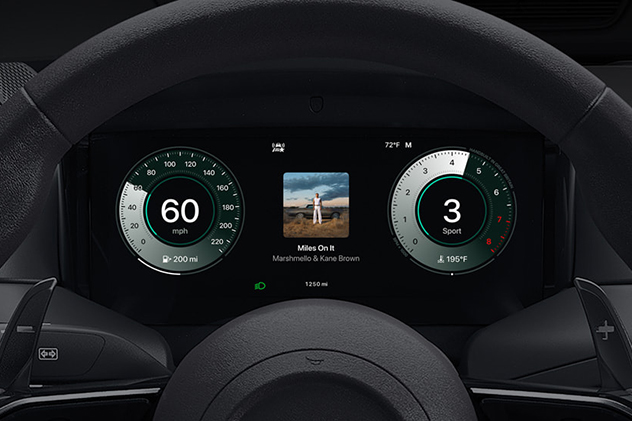
In a sense, Apple CarPlay is just advanced screen mirroring. Apple CarPlay Ultra – currently only available in vehicles from launch partner Aston Martin – provides much more sophisticated integration.
Not only can it control the appearance and operation of the digital instrument cluster, it also allows the driver to adjust things such as the climate and sound system (including radio) without leaving the Apple interface. No more switching between Apple CarPlay and the car’s native infotainment menu just to turn up the heat a degree or two.
Hyundai, Kia and Genesis have reportedly signed up to be the next manufacturers on the Apple CarPlay Ultra list, so expect this technology to become more mainstream very soon.