Sign in
You need to have joined and registered with My NRMA and have a membership number to be able to sign in.
Choose from these options:
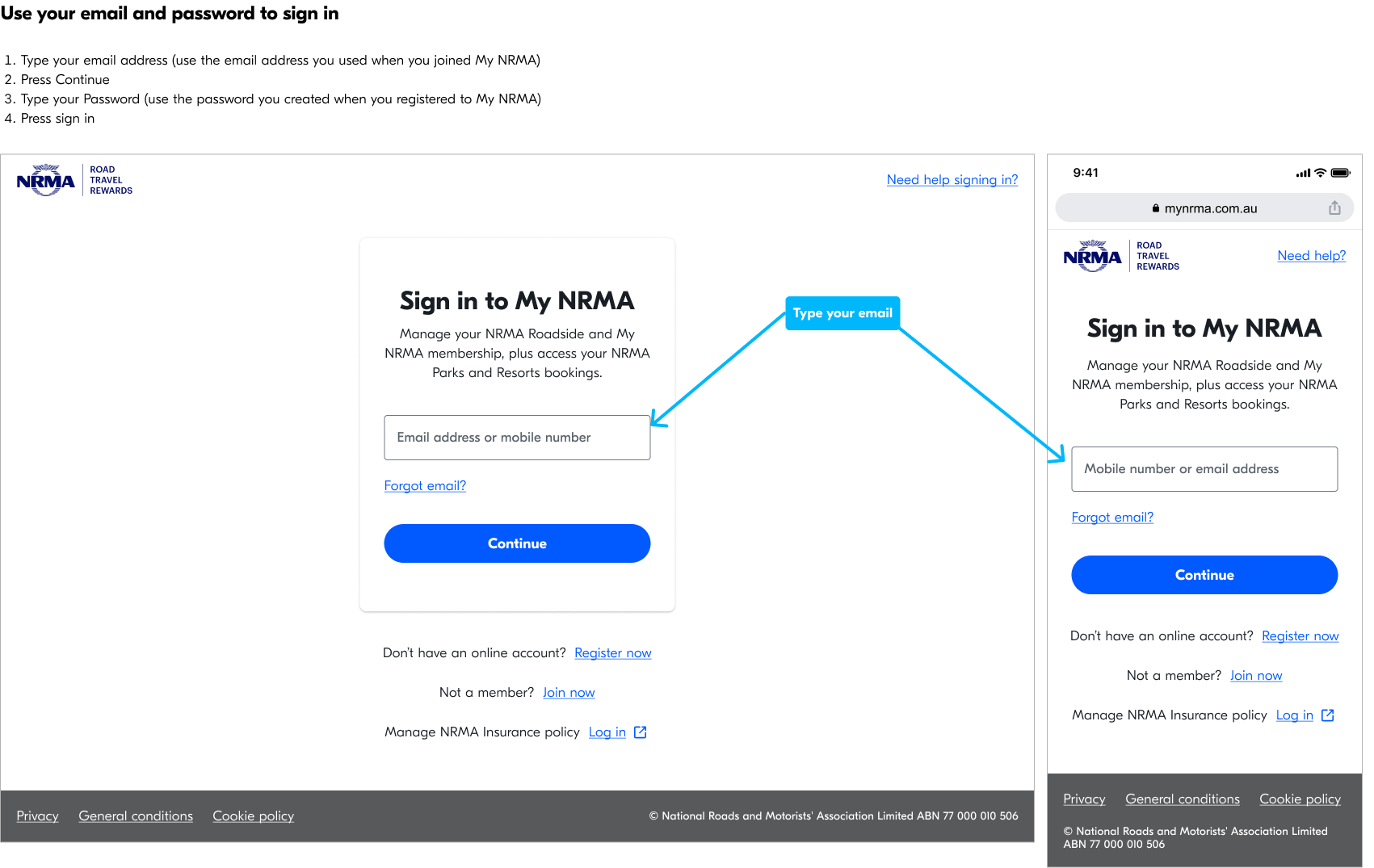
Use your email and password to sign in
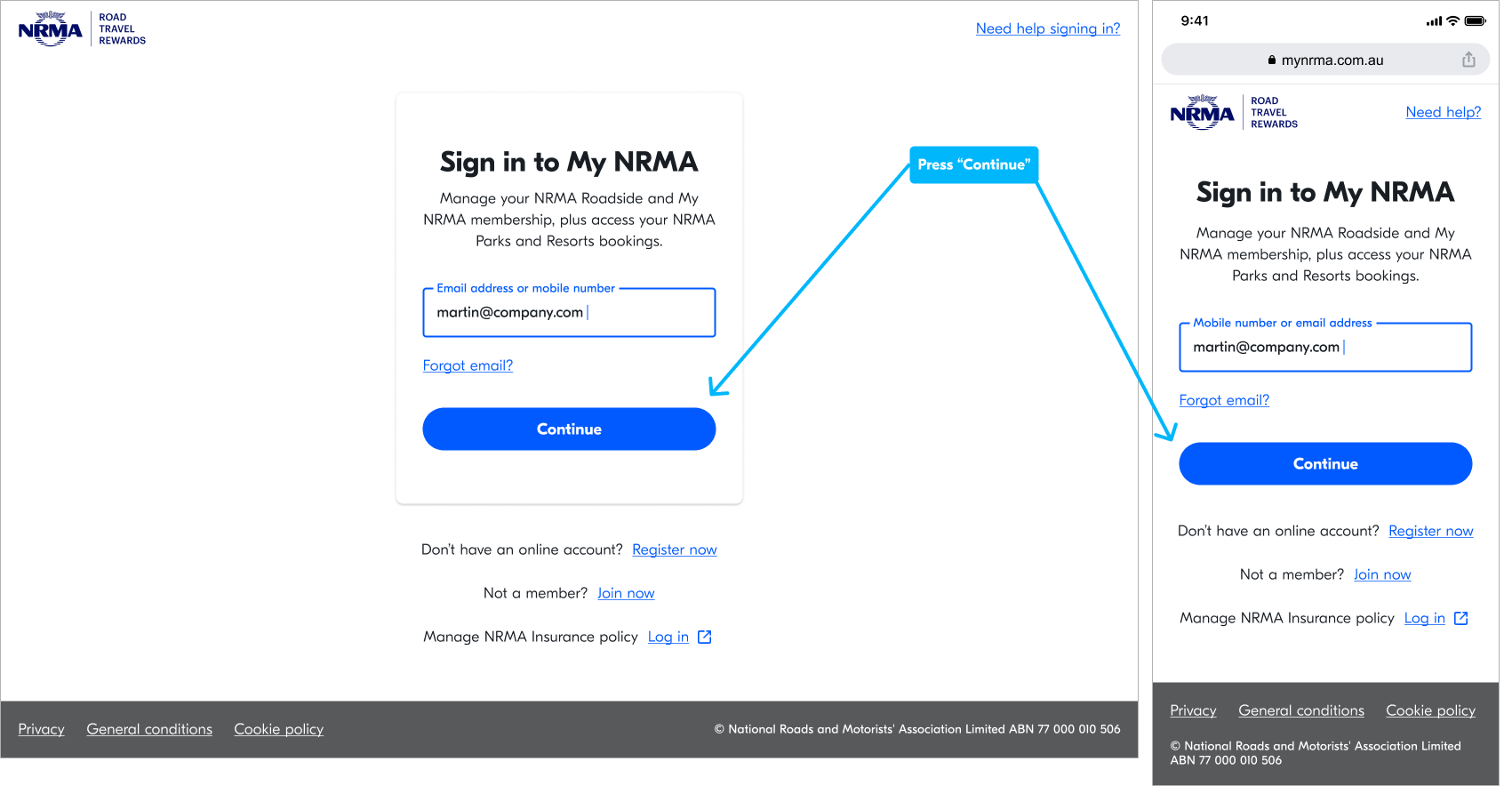
Step 1: Type the email address you used to register for My NRMA.
Step 2: Press 'Continue'.
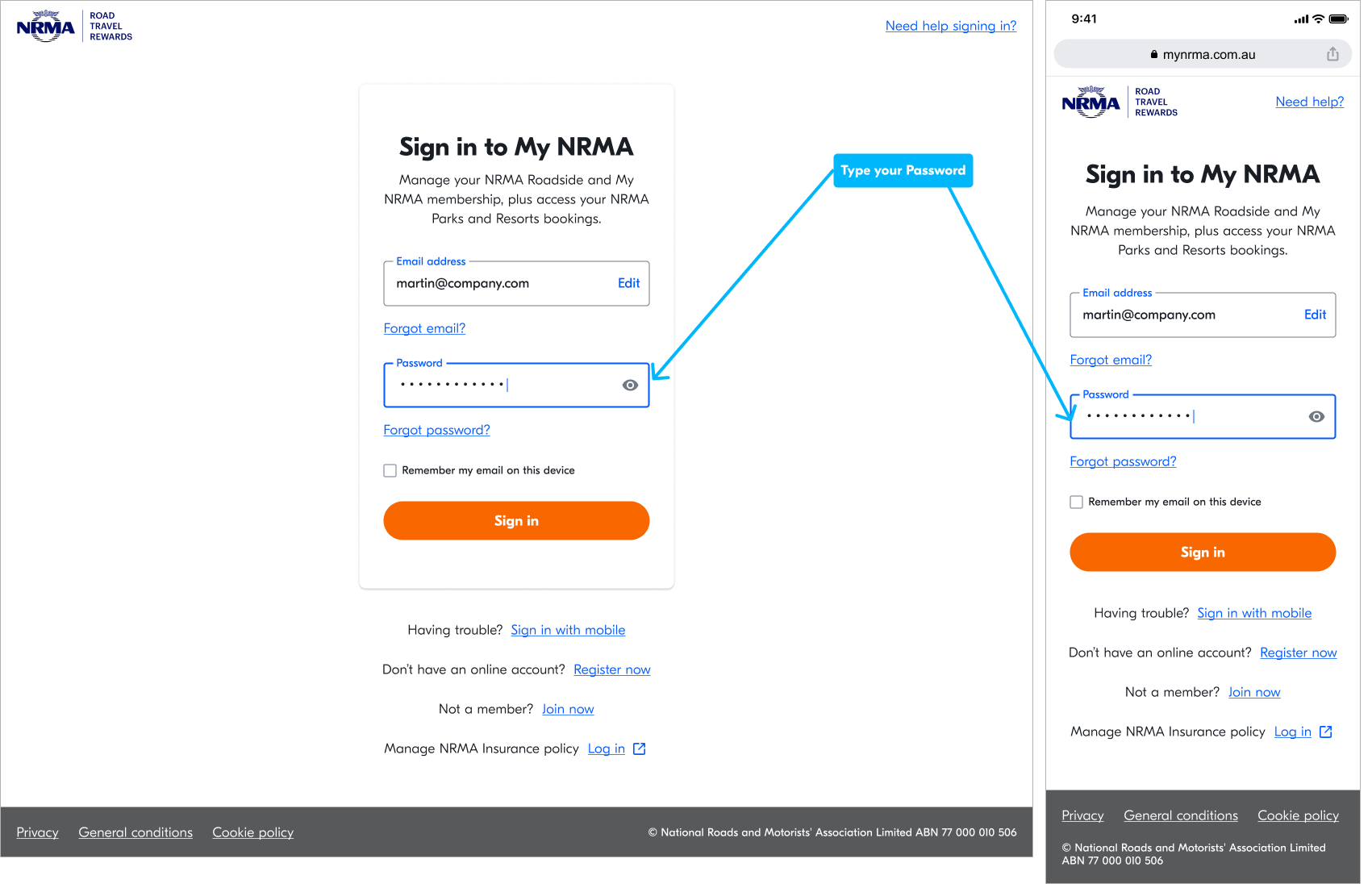
Step 3: Type the password you created when you registered.
Step 4: Press 'Sign in'.
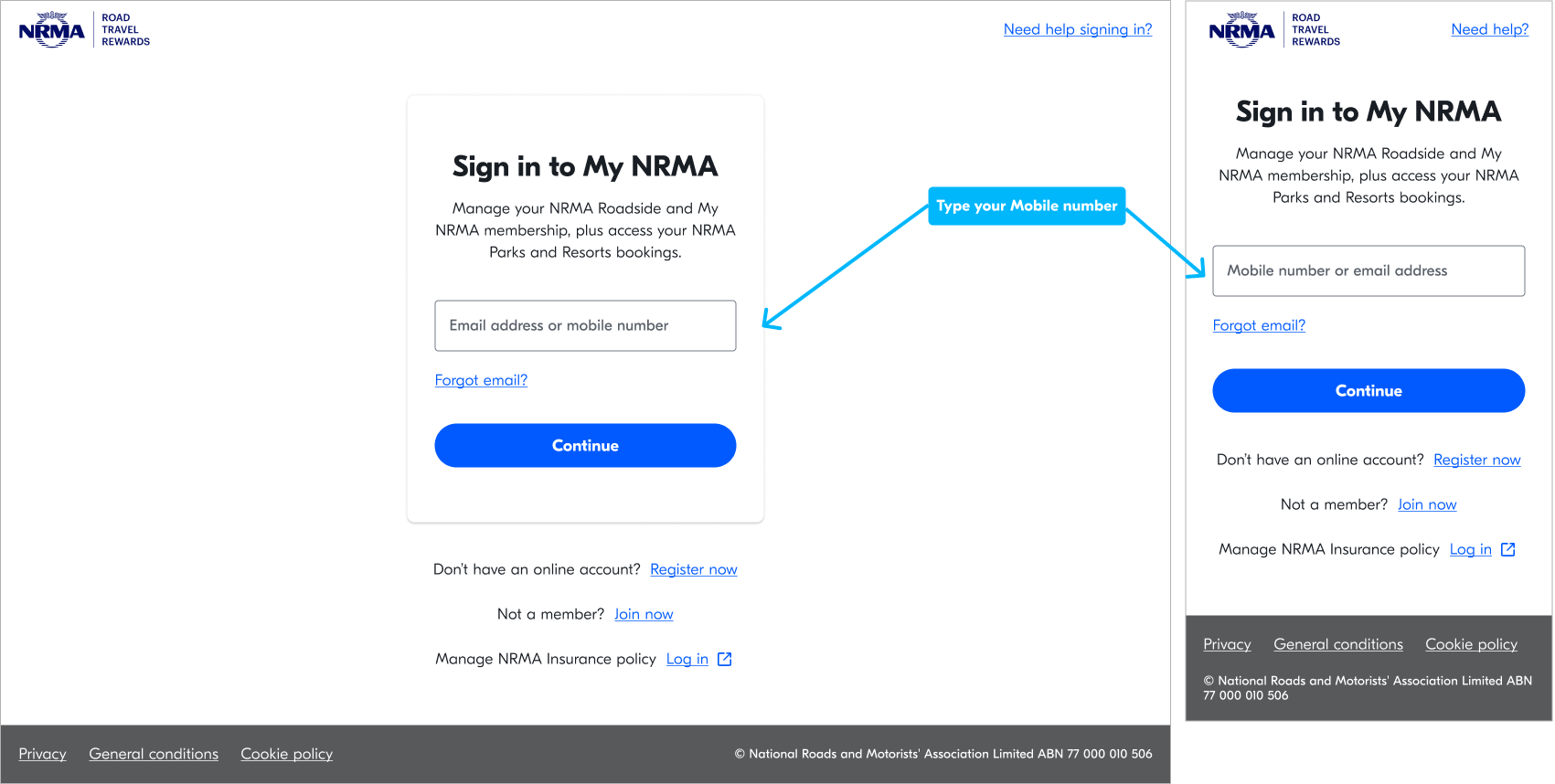
Use your mobile number to sign in
Step 1: Type your mobile number (use the mobile number you used when you joined My NRMA).
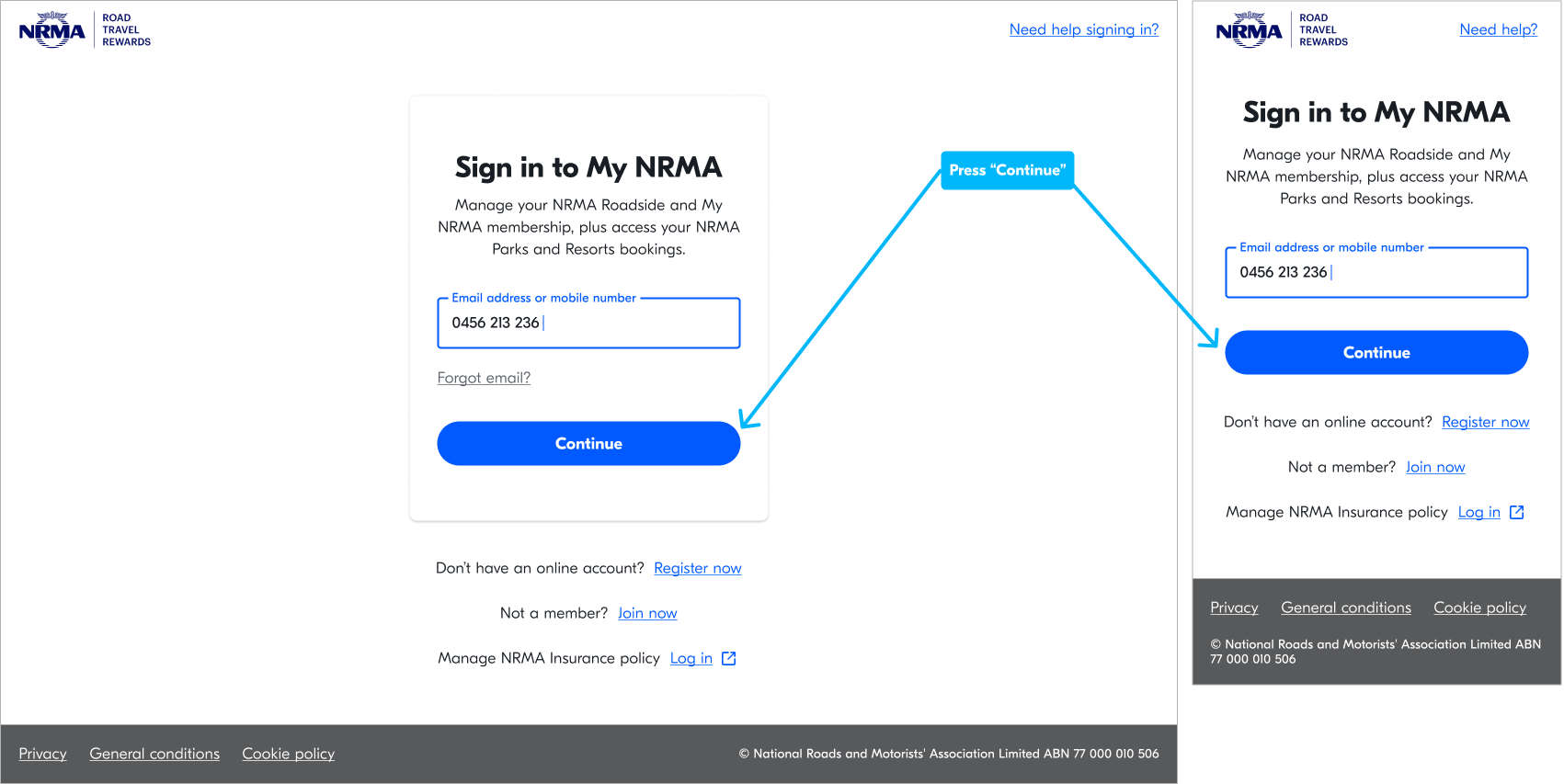
Step 2: Press 'Continue'.
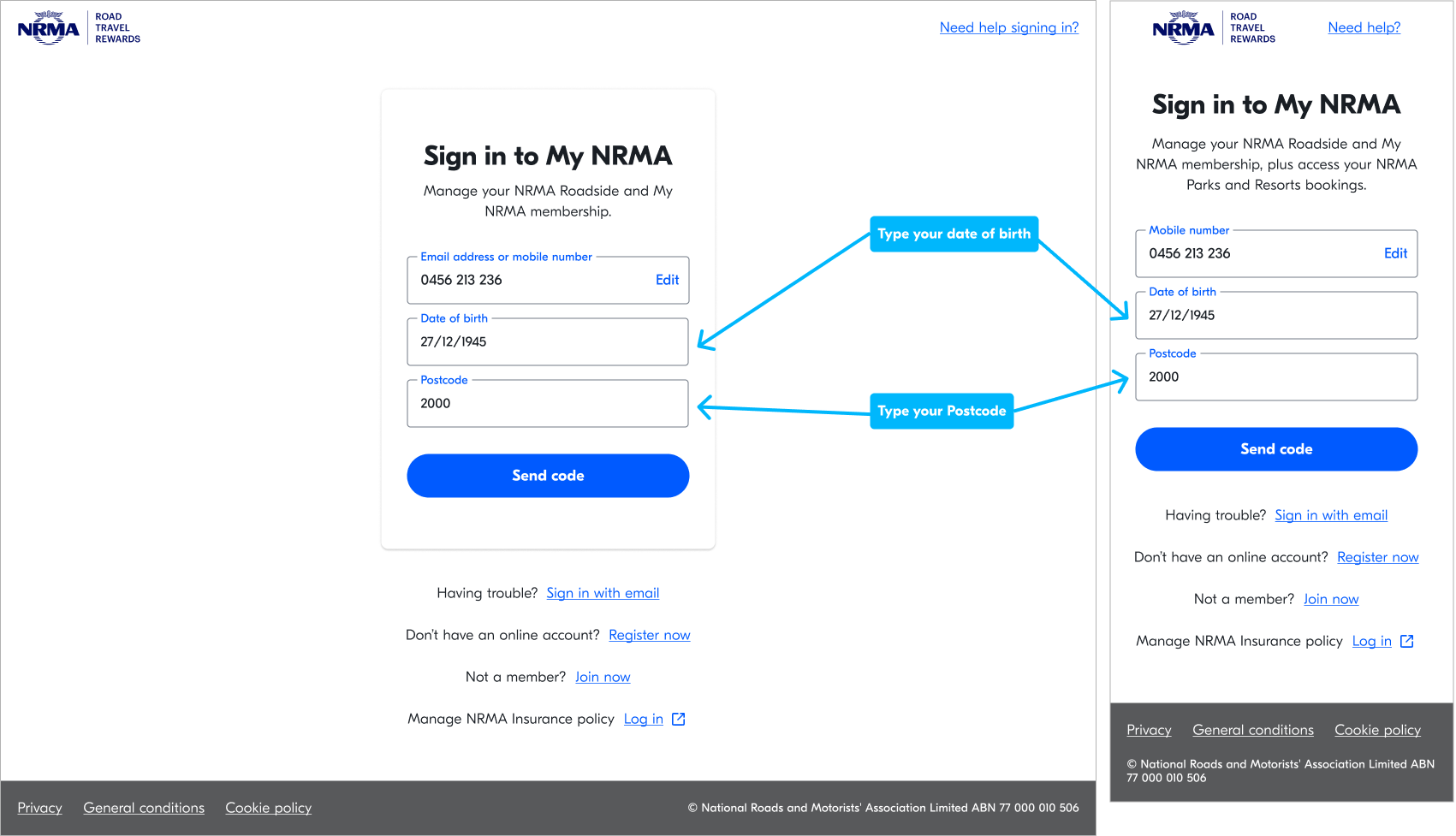
Step 3: Type your data of birth and Postcode (use the same details you used when you joined My NRMA).
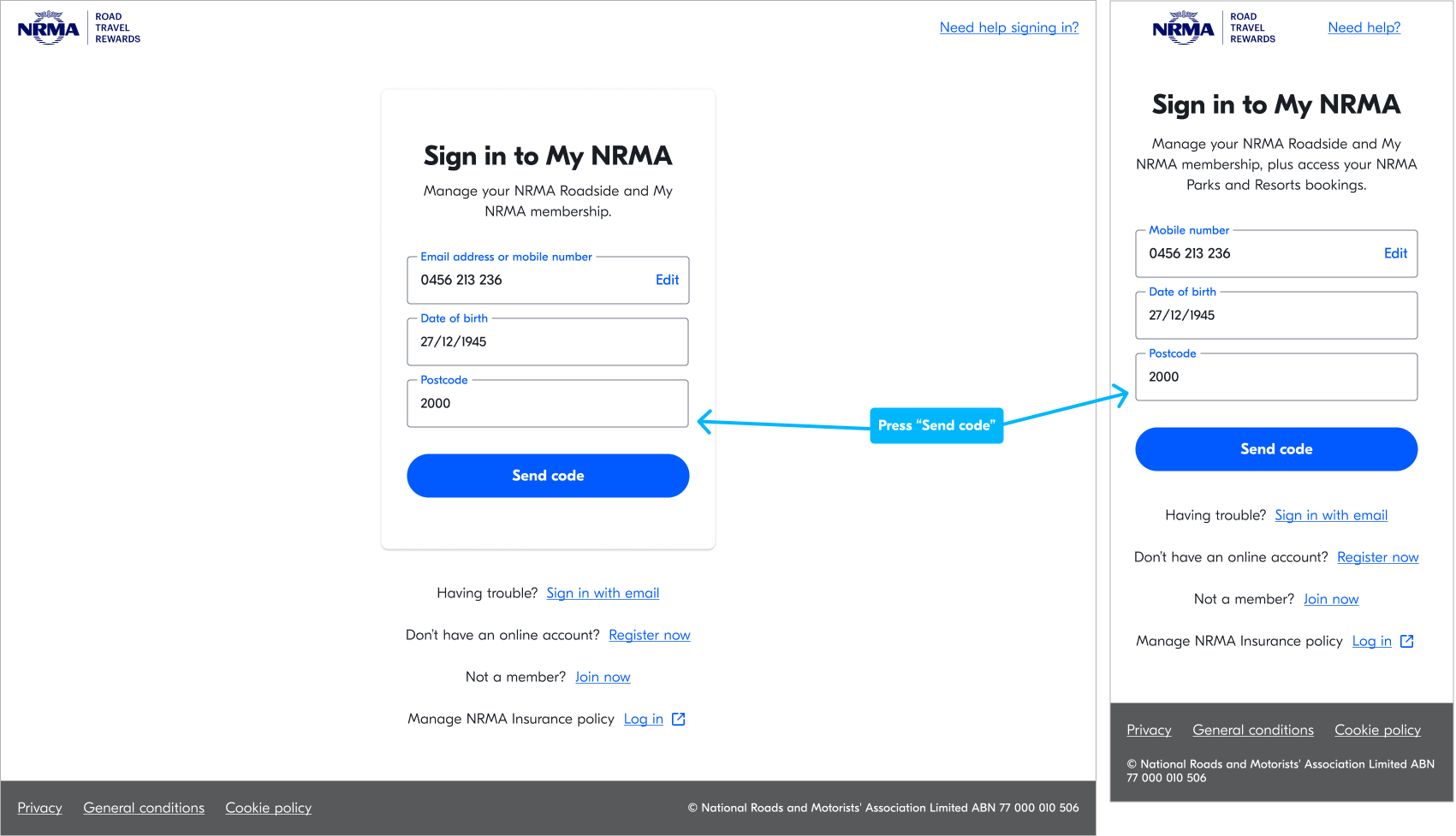
Step 4: Press ‘Send code'.
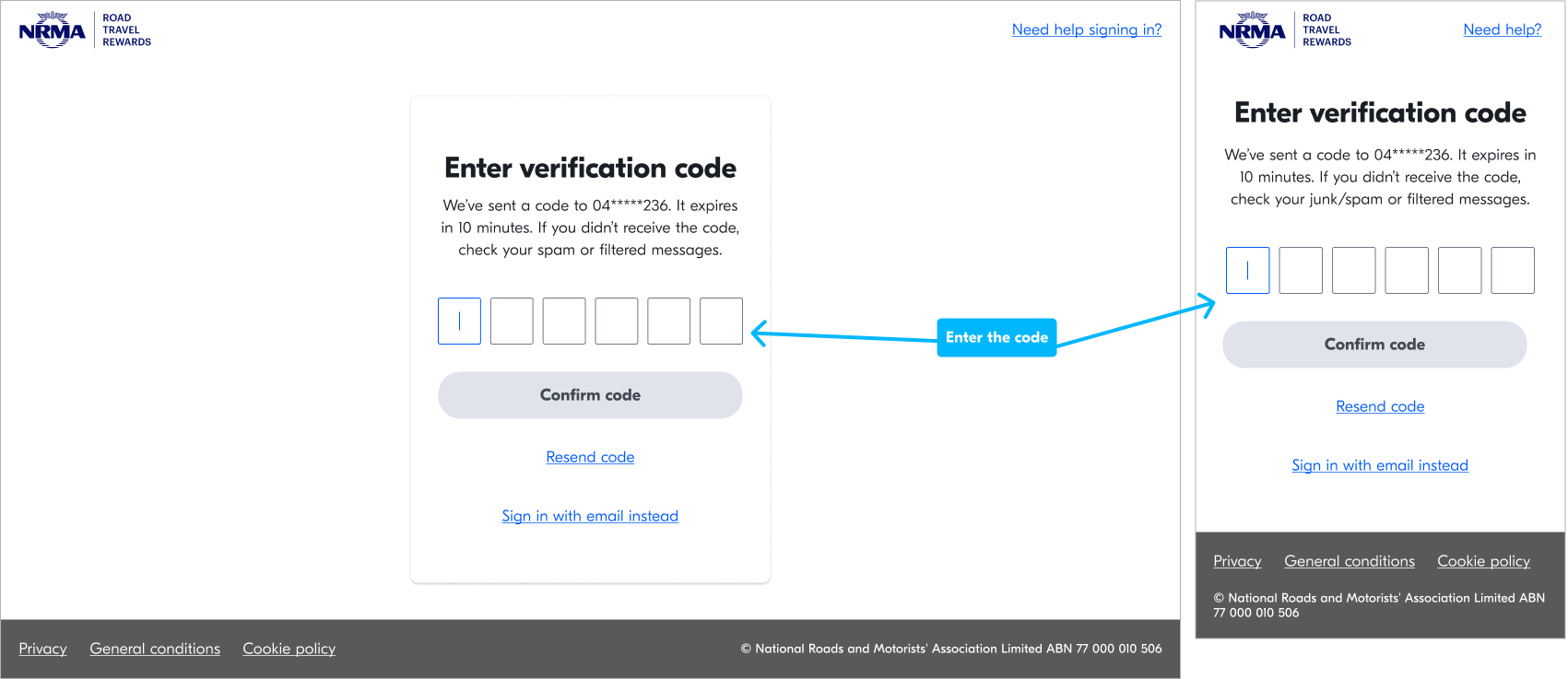
Step 5: You will receive an SMS with a one-time-use code in your phone.
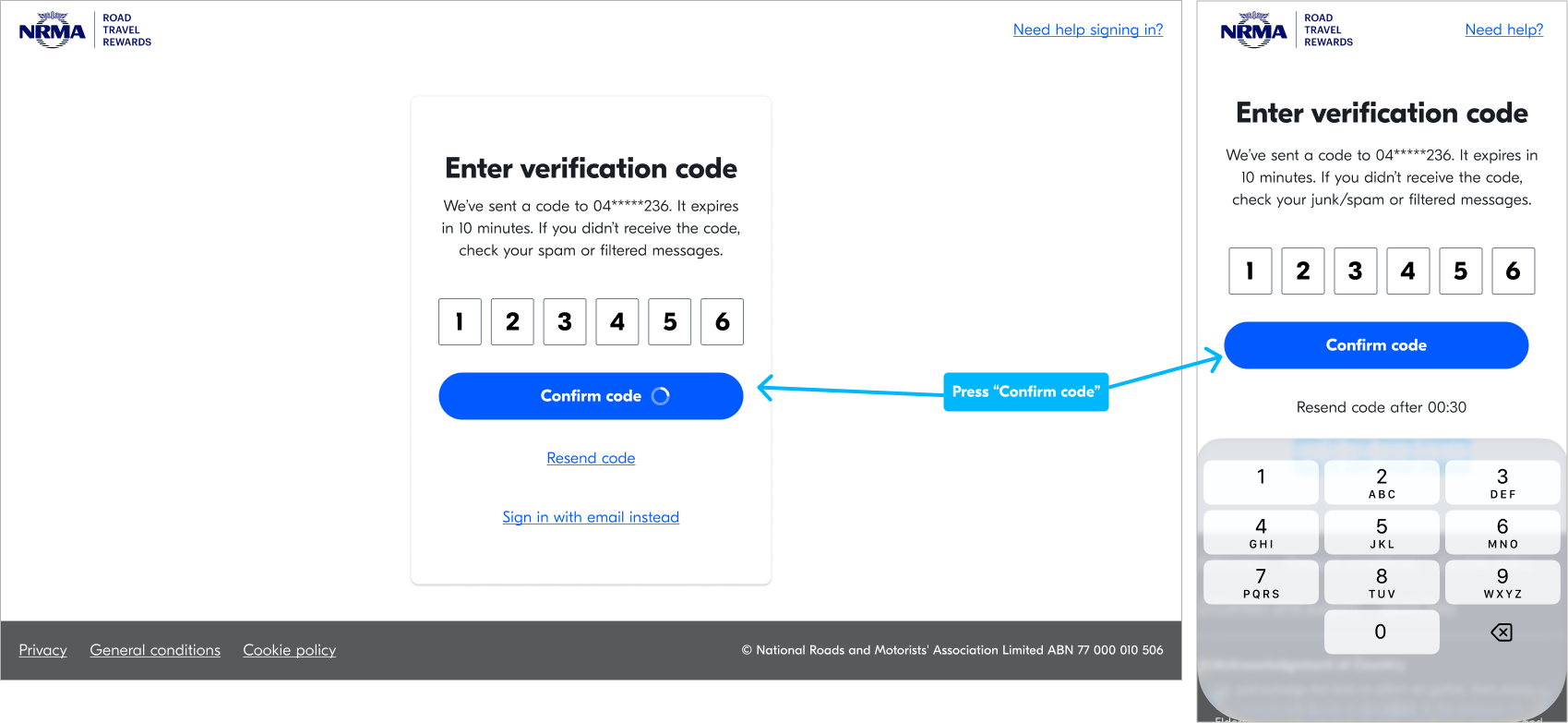
Step 6: Add the code and press 'Confirm code'.
Note: If you don’t receive a code, press resend code or check your junk/spam or filtered sms messages on your phone.